Problems rendering borders + no way to remove map box
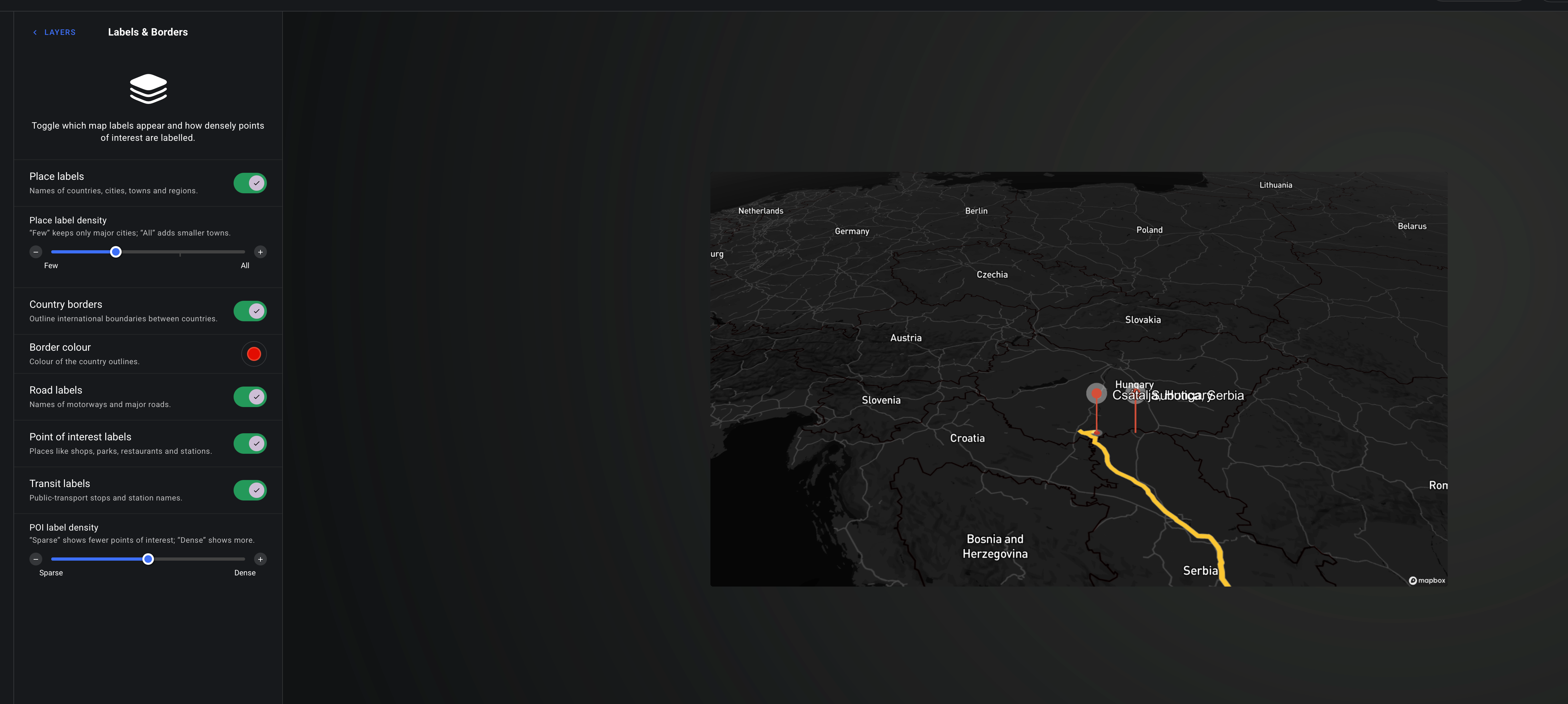
I’ve been working on a map where Borders were turned on and visible.
now even though borders is turned on, it’s still not visible, it changed after the base layer rendering got fixed where it was rendering in different colours.
also I was wondering if there’s a way to hid Mapbox in the bottom right corner.
thank you in advance

Log in to comment and vote
Comments2
Tobias Cichon
Aug 3
Hi Ali, I’ve deployed a new version of AvoMap that fixes the issue with the country borders. Additionally, I’ve added the possibility to set the border style to solid, dashed or dotted for more variety. Please let me know if everything works for you now.
Tobias Cichon
Aug 1
Hi Ali, thanks so much for reporting this. Yes, this definitely looks like an issue on our end. I'm sorry you ran into it. I'll investigate it as soon as I can, fix the issue, and let you know once it's resolved.
Regarding the Mapbox logo: Mapbox is the mapping provider that powers AvoMap. Since it's a third-party service that AvoMap is built on, their Terms of Service require applications like mine to display the Mapbox attribution/logo. This is part of the licensing agreement for using their maps, so unfortunately I'm not able to remove it while continuing to use their mapping data.